What is Vista LIMS?
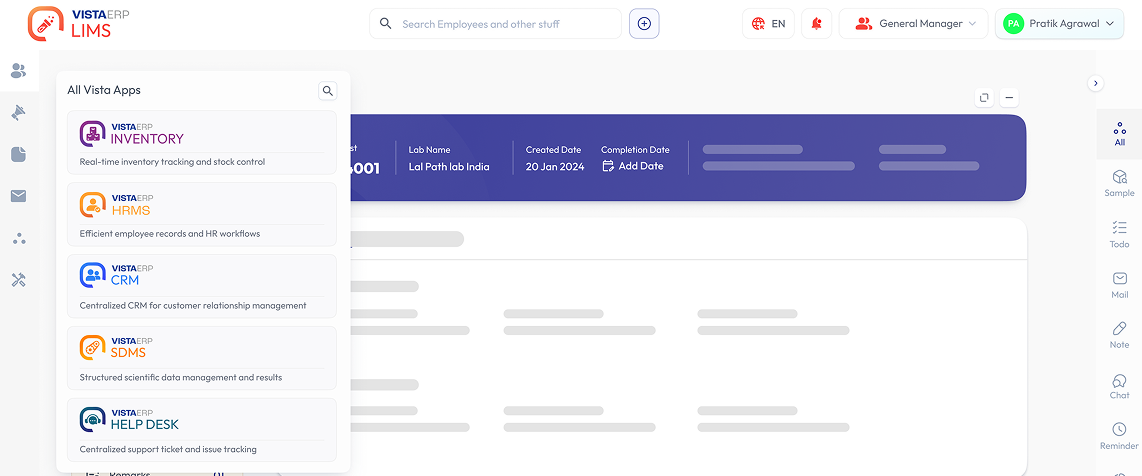
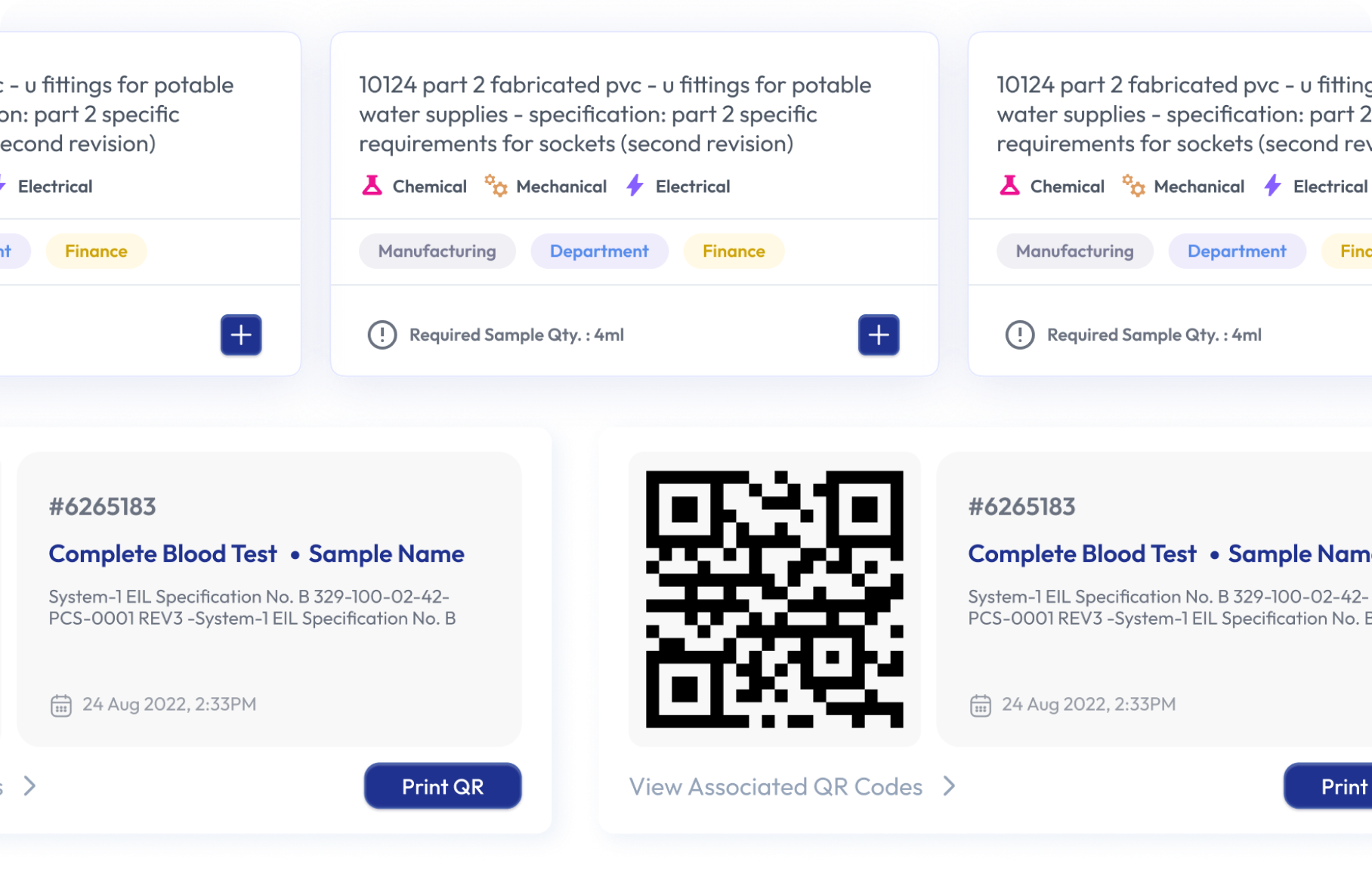
Vista LIMS (Laboratory Information Management System) is a comprehensive software platform designed to manage the complete laboratory workflow, including sample registration, testing, instrument integration, quality control, approvals, report generation, customer management, billing, and compliance requirements from a single system.
Which types of laboratories can use Vista LIMS?
Vista LIMS is suitable for all kind of laboratories, including food testing laboratories, environmental laboratories, water testing labs, pharmaceutical laboratories, microbiology labs, chemical testing labs, material testing laboratories, calibration labs, research facilities, and other testing and analytical organizations.
Does Vista LIMS provide a customer portal?
Yes. Vista LIMS includes a dedicated customer portal where clients can submit test requests, track sample status, download reports, view invoices, monitor payment status, and communicate with the laboratory online.
Does Vista LIMS support online test request submission?
Yes. Customers can submit testing requests online, upload supporting documents, provide sample details, and track the progress of their requests through the customer portal.
Can Vista LIMS integrate with laboratory instruments and equipment?
Yes. Vista LIMS supports integration with more than 250 types of laboratory instruments and equipment, including digital and semi-digital instruments used across various testing disciplines.
Vista LIMS can integrate with analytical instruments such as HPLC, GC, GC-MS, ICP-MS, UV Spectrophotometers, FTIR, TOC Analyzers, balances, pH meters, microbiology equipment, environmental monitoring systems, and many other laboratory instruments depending on compatibility.
How does instrument integration improve laboratory efficiency?
Instrument integration reduces manual data entry, minimizes transcription errors, improves data accuracy, speeds up result processing, and ensures seamless transfer of test data into the LIMS.
Does Vista LIMS support ISO 17025 requirements?
Yes. Vista LIMS helps laboratories maintain traceability, audit trails, controlled workflows, equipment records, document management, and data integrity practices commonly required for ISO 17025 compliance.
Does Vista LIMS support workflow-based approvals?
Yes. Testing, review, verification, approval, and report release activities, with multiple authorised personnel digital signatures can be managed through configurable workflow-based processes to ensure proper authorization and control.
Can multiple laboratory departments & locations work in the same system?
Yes. Different departments such as Chemistry, Microbiology, Instrumentation, Environmental Testing, Food Testing, Calibration, and Quality Assurance can operate within a unified system while maintaining controlled access.
System also supports multi-locations with centralised monitoring and control.
Can Vista LIMS integrate with Accounts and Billing?
Yes. Vista LIMS integrates with billing and accounting modules including Tally, allowing laboratories to generate quotations, invoices, GST-compliant bills, and payment records without duplicate data entry.
Can Vista LIMS be customized for laboratory-specific workflows?
Yes. Laboratories can configure workflows, sample registration processes, test parameters, approval hierarchies, report formats, and other operational requirements to match their specific needs.
Why should laboratories choose Vista LIMS?
Vista LIMS combines laboratory workflow management, customer portal, instrument integration, report automation, digital signatures, billing integration, compliance support, and ERP connectivity in a single platform. This enables laboratories to improve efficiency, data accuracy, customer service, compliance management, and operational visibility while reducing manual effort.
What is a Help Desk Ticket Management System for Laboratories?
A Help Desk Ticket Management System helps laboratories manage customer support requests, internal issues, complaints, service requests, and IT support tickets from a centralized dashboard. Tickets can be assigned, tracked, escalated, and resolved with complete visibility.
Can the Help Desk software automate ticket assignment and escalation?
Yes. Tickets can be automatically assigned based on department, priority, location, or issue type. Escalation workflows ensure that unresolved tickets are automatically routed to higher authorities.
Does the Help Desk support email, SMS, and notifications?
Yes. The system supports email, SMS, and push notifications for ticket creation, status updates, escalations, approvals, and closure confirmations.
Can customers raise support tickets online?
Yes. Customers can submit support requests through a web portal and track ticket progress in real time without contacting support staff repeatedly.
How does AI improve Help Desk operations in Vista HelpDesk?
Vista AI assists in ticket categorization, routing, response suggestions, issue analysis, and identifying recurring problems to improve service quality.
Does the Vista Helpdesk support project-wise ticket management?
Absolutely. Organizations managing multiple projects can associate tickets with specific projects, clients, contracts, or business units.
This makes it easier to monitor project-related issues, track service requests, and measure support performance across individual projects.
Does the system support Service Level Agreements (SLAs)?
Yes. Organizations can define SLAs for different departments, priorities, customers, or service types. The ERP Helpdesk continuously monitors response and resolution times and automatically escalates tickets when SLA targets are at risk.
What is Vista CRM software for testing laboratories?
CRM software helps laboratories manage leads, inquiries, quotations, customer interactions, follow-ups, and sales activities from a single platform.
Can CRM track inquiry-to-customer conversion?
Yes. Every inquiry can be tracked from initial contact to quotation, order confirmation, testing, billing, and long-term customer relationship management.
Does the CRM integrate with LIMS and billing?
Yes. Customer records, quotations, orders, invoices, and test requests can flow seamlessly between CRM, LIMS, and Accounts modules.
Can sales teams manage follow-ups and reminders?
Yes. Automated reminders, tasks, meeting schedules, and follow-up tracking help ensure that no sales opportunity is missed.
Is CRM suitable for NABL accredited laboratories?
Yes. The CRM helps maintain organized customer communication, quotation records, and service history, supporting professional laboratory operations.
Is there any provision to generate Quotations?
Yes, estimates and quotations can be easily generated from Vista CRM module. There is provision to send quotation to customer and communicate with them, before final approval. Everything is handled in paper less environemnt.
Does Vista Gate Pass support visitor pre-registration?
Yes. Visitors can be pre-registered before arrival, allowing security personnel to verify visitor details quickly and reduce entry delays. Pre-registration helps organizations improve security, streamline visitor management, and maintain accurate visitor records.
Can I track material movement with Purchase Orders or Inventory links?
Yes. The Gate Pass Module can be integrated with Purchase, Inventory, and Stores processes, allowing organizations to track incoming and outgoing materials against approved transactions. This improves traceability and helps maintain accurate movement records.
Does the system support QR code or barcode scanning?
Yes. Gate passes can be generated with QR codes or barcodes for faster verification and processing at entry and exit points. Scanning reduces manual errors and speeds up gate operations.
Can multiple gates use the same Gate Pass Management System?
Yes. The system supports multiple entry and exit gates operating from a centralized database. Organizations can monitor gate activities across different locations while maintaining standardized processes and controls.
Does Vista Gate Pass maintain historical movement records?
Yes. The system stores complete movement history, including visitor entries, material movements, approvals, and gate transactions. Historical records can be searched and retrieved whenever required for audits, investigations, or operational reviews.
Can gate passes be approved from mobile devices?
Yes. Authorized users can review and approve gate pass requests from mobile phones, tablets, or web browsers. This helps reduce approval delays and improves operational efficiency.
Is the Gate Pass Management System secure and role-based?
Yes. The system uses role-based access controls to ensure users can only access information relevant to their responsibilities. User activities are logged to maintain accountability and support audit requirements.
Can Vista DMS store all formats of documents?
Yes. Vista DMS can securely store and manage a wide range of document formats, including PDF, Word, Excel, PowerPoint, images, scanned records, certificates, SOPs, manuals, reports, and other business documents from a centralized repository.
Does Vista DMS support version control?
Yes. The system maintains complete version history for every document. Users can track revisions, view previous versions, compare changes, and ensure that only the latest approved document is used across the organization.
Can I set user-specific access permissions?
Yes. Vista DMS provides role-based and user-specific access controls. Organizations can define who can view, edit, approve, download, or share documents, ensuring sensitive information remains protected.
Is there an audit trail for document actions?
Yes. Every document activity is automatically recorded, including uploads, modifications, approvals, downloads, version changes, and access history. This provides complete traceability and supports compliance and audit requirements.
Can Vista DMS integrate with other ERP modules?
Yes. Vista DMS integrates seamlessly with LIMS, CRM, HRMS, Purchase, Inventory, Equipment Management, Accounts, and other ERP modules. Documents can be linked directly to transactions, records, workflows, and approvals throughout the system.
Can documents be routed through approval workflows?
Yes. Documents can follow configurable review and approval workflows before being released, ensuring proper authorization and document control.
How does Vista DMS help during audits and compliance reviews?
Vista DMS enables instant document retrieval, maintains version history, records approval actions, and provides complete audit trails, making it easier to demonstrate compliance during internal and external audits.
Can users quickly search and retrieve documents?
Yes. Vista AI powered Advanced search capabilities allow users to locate documents using keywords, document numbers, categories, departments, dates, or metadata, significantly reducing time spent searching for records.
Why should laboratories use a Document Management System?
VistaERP DMS helps laboratories maintain controlled documentation, improve compliance, reduce paperwork, manage SOPs and quality records efficiently, and ensure that authorized users always access the correct document version.
Can Vista Purchase automate approval workflows?
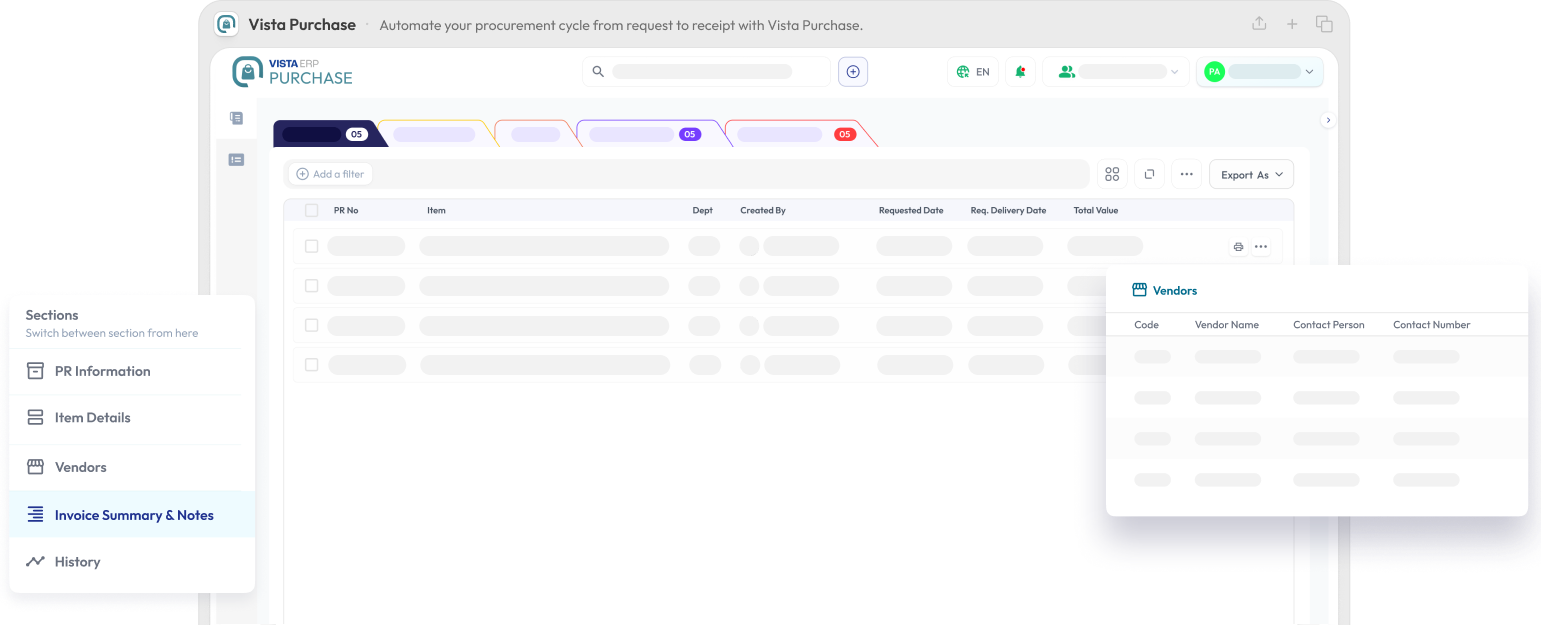
Yes. Vista Purchase supports configurable approval workflows for purchase requisitions, quotations, purchase orders, and vendor-related approvals. Organizations can define approval hierarchies based on department, purchase value, location, or authority levels.
Does Vista Purchase help compare vendor quotations?
Yes. The system allows users to compare multiple vendor quotations side by side, helping procurement teams evaluate pricing, delivery terms, specifications, and supplier performance before making purchasing decisions.
Can I track purchase orders in real time?
Yes. Users can monitor the complete purchase lifecycle, from requisition and approval to purchase order creation, receipt of goods in Inventory, and invoice processing. Real-time status updates provide complete visibility into procurement activities.
Is the Purchase Module linked with Inventory and Accounts?
Yes. Vista Purchase integrates seamlessly with Inventory and Accounts modules. Approved purchases can automatically update stock records, while financial transactions can flow directly into accounting processes, reducing duplicate data entry.
Can I manage multiple suppliers and contracts?
Yes. The system maintains a centralized supplier database where organizations can manage vendor information, quotations, contracts, performance records, pricing agreements, and purchase history.
Can Vista Purchase handle recurring or scheduled purchases?
Yes. Frequently purchased items, annual contracts, maintenance services, and recurring procurement requirements can be scheduled and managed efficiently, helping organizations avoid stock shortages and procurement delays.
Does the system support purchase budgeting and expense limits?
Yes. Organizations can define departmental budgets, spending thresholds, and approval limits. The system can notify users when purchases exceed predefined budgets or require higher-level approvals.
Why should laboratories use a Purchase Management System?
Laboratories regularly procure chemicals, reagents, standards, consumables, equipment, calibration services, and maintenance items. A Purchase Management System helps control costs, improve procurement visibility, streamline approvals, maintain vendor records, and ensure timely availability of critical resources.
What is Vista HRMS software and how does it help organizations?
HRMS (Human Resource Management System) helps organizations & laboratories manage employee records, attendance, leave, onboarding, performance, and other HR processes from a centralized platform. It reduces manual work and improves operational efficiency along with compliances.
Does Vista HRMS provide a centralized employee database?
Yes. Vista HRMS maintains complete employee records, including personal information, employment history, qualifications, documents, departments, designations, and reporting structures in a secure centralized system.
Can employees apply for leave online?
Yes. Employees can submit leave requests online, view leave balances, track approval status, and access leave history through the system without relying on manual paperwork.
Does Vista HRMS support attendance management?
Yes. The system helps track employee attendance, working hours, shifts, holidays, and absenteeism, providing HR teams with accurate workforce data.
Can managers approve leave and HR requests digitally?
Yes. Leave requests and HR-related approvals can be processed through configurable workflows, allowing managers to review and approve requests from anywhere.
Is employee information secure and role-based?
Yes. Vista HRMS uses role-based access controls to ensure that employees, managers, HR personnel, and administrators can access only the information relevant to their responsibilities.
Can Vista HRMS store employee documents?
Yes. Employee documents such as appointment letters, contracts, certifications, identity proofs, appraisal records, and policy acknowledgments can be securely stored and managed digitally from Vista DMS also.
Can Vista HRMS be customized for company-specific HR policies?
Yes. Workflows, approval processes, employee fields, leave rules, departments, designations, and various HR processes can be configured to match organizational requirements.
Why should laboratories use an HRMS?
Laboratories often manage technical staff, analysts, auditors, quality personnel, and administrative teams. Vista HRMS helps maintain organized employee records, streamline approvals, improve compliance, and simplify workforce management across the organization.
Does Vista HRMS include payroll management?
Payroll Management is currently under development and will be available in an upcoming release. The upcoming Payroll Module will help organizations manage salary processing, earnings and deductions, statutory compliance, payslip generation, reimbursement management, and payroll reporting while remaining fully integrated with employee attendance and HR records.
What is Equipment and Asset Management Software?
Equipment and Asset Management Software helps organizations track, maintain, monitor, and manage laboratory instruments, equipment, machinery, IT assets, and other business assets throughout their lifecycle from procurement to disposal.
How does Vista Equipment Management help laboratories?
Vista Equipment Management helps laboratories maintain complete records of instruments, calibration schedules, maintenance activities, breakdown history, utilization, and compliance documentation from a centralized platform.
Can I track equipment calibration schedules?
Yes. The system automatically tracks calibration due dates and sends reminders before deadlines, helping laboratories maintain compliance and avoid missed calibrations.
Does the system manage preventive maintenance activities?
Yes. Preventive maintenance schedules can be planned, assigned, monitored, and recorded to improve equipment reliability and reduce unexpected downtime.
Can I record equipment breakdowns and repairs?
Yes. Users can log equipment failures, service requests, repairs, spare part replacements, vendor visits, and corrective actions while maintaining a complete maintenance history.
Does Vista Equipment Management maintain a complete asset lifecycle?
Yes. Every asset can be tracked from purchase and installation through maintenance, calibration, relocation, upgrades, and eventual retirement or disposal.
Can I manage both laboratory instruments and general company assets?
Yes. The system can manage laboratory equipment, testing instruments, computers, printers, furniture, vehicles, machinery, and other organizational assets from a single platform.
Does the software support asset tagging and QR codes?
Yes. Assets can be assigned unique identification numbers, barcodes, or QR codes for quick identification, verification, and tracking.
How does the system help during NABL, ISO, and regulatory audits?
The software provides instant access to calibration records, maintenance logs, qualification reports, service history, and audit trails, making compliance verification faster and easier.
Can multiple departments manage their assets in the same system?
Yes. Different departments, branches, laboratories, or locations can manage their assets within a centralized system while maintaining role-based access controls.
Why is Equipment and Asset Management important for laboratories?
Laboratories depend on properly maintained and calibrated equipment for accurate testing and compliance. A centralized Equipment and Asset Management System improves traceability, reduces downtime, supports audits, and helps maximize the return on asset investments.
What is Inventory and Stock Management Software?
Inventory and Stock Management Software helps organizations track, control, and manage stock levels, consumables, chemicals, reagents, standards, spare parts, and other inventory items from a centralized system.
How does Vista Inventory Management help laboratories?
Vista Inventory Management helps laboratories maintain accurate stock records, monitor consumption, track inventory movements, prevent shortages, and ensure critical materials are always available when needed.
Does the system provide low-stock and reorder alerts?
Yes. Automated alerts notify users when inventory reaches predefined minimum levels, helping organizations replenish stock before shortages impact operations.
Can Vista Inventory track chemicals, reagents, and laboratory consumables?
Yes. The system is designed to manage laboratory-specific inventory including chemicals, reagents, reference standards, glassware, consumables, media, and testing materials.
Does the system support multiple stores and locations?
Yes. Organizations can manage inventory across multiple warehouses, laboratories, stores, branches, or locations while maintaining centralized visibility and control.
Does Vista Inventory support batch and lot tracking?
Yes. The system can maintain batch numbers, lot numbers, manufacturing dates, expiry dates, and supplier details to improve traceability and quality control.
Does the system support stock transfers between locations?
Yes. Inventory can be transferred between stores, departments, branches, or laboratories while maintaining complete movement records and audit trails.
How does Vista Inventory reduce inventory wastage?
By providing visibility into stock levels, consumption patterns, expiry dates, and reorder requirements, the system helps organizations optimize inventory and reduce unnecessary purchases and wastage.
Can the Inventory Module integrate with other ERP modules?
Yes. Vista Inventory integrates with Purchase, Equipment Management, Accounts, LIMS, Help Desk, and other ERP modules, creating a unified inventory management ecosystem.
Why is Inventory Management important for laboratories?
Laboratories rely on the timely availability of chemicals, standards, reagents, consumables, and testing materials. Effective inventory management helps prevent stock shortages, reduce wastage, improve traceability, and support uninterrupted laboratory operations.
What is a Scientific Data Management System (SDMS)?
A Scientific Data Management System (SDMS) is software that automatically collects, stores, organizes, secures, and manages scientific data generated by laboratory instruments, analytical equipment, and testing processes. It helps laboratories maintain data integrity, traceability, and regulatory compliance.
How is SDMS different from LIMS?
While a LIMS manages laboratory workflows, samples, testing processes, and reports, an SDMS focuses on capturing, storing, indexing, and managing raw scientific data generated by instruments. Together, LIMS and SDMS provide complete laboratory data management.
Why do laboratories need an SDMS?
aboratories generate large volumes of instrument data every day. SDMS helps centralize this data, eliminate manual file management, improve data accessibility, strengthen compliance, and ensure long-term data preservation.
Can Vista SDMS automatically collect data from laboratory instruments?
Yes. Vista SDMS can collect and manage data generated by laboratory instruments, helping eliminate scattered files and reducing dependence on local computer storage.
What types of laboratory data can Vista SDMS manage?
Vista SDMS can manage chromatograms, spectra, analytical results, instrument output files, calibration records, raw data files, images, PDFs, spreadsheets, and other scientific records generated during laboratory operations.
Does VistaERP support instrument integration?
Yes. Vista SDMS can work alongside instrument integration and equipment management to centralize data generated by digital and semi-digital laboratory equipment across different laboratory disciplines.
Can users quickly search and retrieve historical laboratory data?
Yes. Advanced search capabilities allow users to locate scientific records using sample information, instrument details, dates, test parameters, projects, customers, and other metadata.
Does Vista SDMS maintain audit trails?
Yes. Every data-related activity, including uploads, modifications, access history, approvals, and archival actions, can be tracked through comprehensive audit trails.
Does Vista SDMS support secure long-term data storage?
Yes. Scientific data can be archived and retained securely for long periods while remaining searchable and accessible whenever required.
Can Vista SDMS integrate with Vista LIMS?
Yes. Vista SDMS integrates seamlessly with Vista LIMS and other modules of VistaERP, allowing laboratories to connect sample information, test workflows, reports, and scientific data within a unified ecosystem.
How does SDMS improve laboratory productivity?
By automatically organizing scientific data, reducing manual file handling, simplifying data retrieval, and improving collaboration between laboratory teams, SDMS helps laboratories save time and improve operational efficiency.
Why should laboratories choose Vista SDMS?
Vista SDMS provides a centralized platform for managing scientific data generated across laboratory operations. By combining secure data storage, rapid search capabilities, audit trails, regulatory support, instrument data management, and seamless integration with Vista LIMS, laboratories can improve data integrity, compliance, and operational efficiency while reducing the risks associated with manual data management.
What is Accounting and Billing Software for Laboratories?
Vista Accounts & Billing is an integrated financial management solution that helps laboratories manage quotations, estimates, invoicing, payments, customer dues, credit notes, refunds, accounting records, and financial reporting from a single platform.
Can Vista Accounts generate quotations and estimates?
Yes. The system allows laboratories to create professional quotations and estimates for testing services, projects, and recurring customers. Quotations can be tracked from creation to order confirmation and invoicing.
Does Vista Accounts support GST-compliant invoicing?
Yes. The system supports GST-compliant invoicing and helps laboratories generate professional invoices with applicable tax calculations and financial records.
Can I track customer payments and outstanding dues?
Yes. The system provides real-time visibility into customer payments, pending invoices, overdue amounts, credit balances, and collection status, helping improve cash flow management.
Does Vista Accounts provide a customer due and receivables dashboard?
Yes. Users can view customer-wise outstanding balances, aging reports, payment history, overdue invoices, and collection trends from a centralized dashboard.
Does Vista Accounts integrate with Tally?
Yes. Financial transactions, invoices, payments, customer records, and accounting entries can be synchronized with Tally, reducing duplicate work and improving accounting accuracy.
Is the Accounts Module integrated with Vista LIMS?
Yes. Test requests, sample processing, report approvals, quotations, and invoices can flow seamlessly between Vista LIMS and the Accounts Module, reducing manual data entry.
Can billing be generated automatically from laboratory services?
Yes. Billing can be linked to approved testing services, quotations, work orders, and customer requests, helping laboratories streamline the invoicing process.
Can Vista Accounts & Billing be used for products and services beyond laboratory testing?
Yes. Vista Accounts & Billing can be used to manage invoicing, quotations, payments, customer accounts, credit notes, and refunds for any product or service business, not just laboratories. The module also includes built-in customer management features and can be further enhanced with Vista CRM for advanced sales and relationship management.
Why should laboratories choose Vista Accounts & Billing?
Vista Accounts & Billing is designed to work seamlessly with laboratory operations. By integrating quotations, invoicing, payments, customer dues, Tally synchronization, inventory costs, financial documents, and LIMS workflows into a single platform, laboratories can improve financial control, reduce manual work, accelerate collections, and gain complete visibility into their business performance.